


eBird by Cornell Lab
3.8606.00 Reviews
App Specs
- Version
- 3.3.6
- Updated On
- License
- Free
- Downloads
- 1,000,000+
- Developer
- Cornell Lab of Ornithology
- Categories
- Books & Reference
- Platform
- Android, iOS
Screenshots
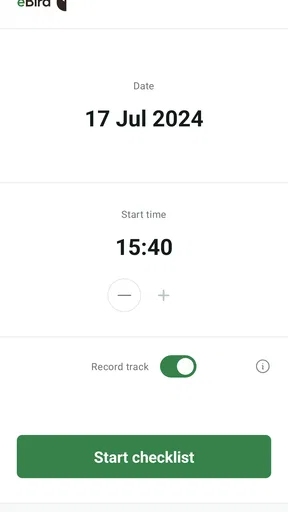
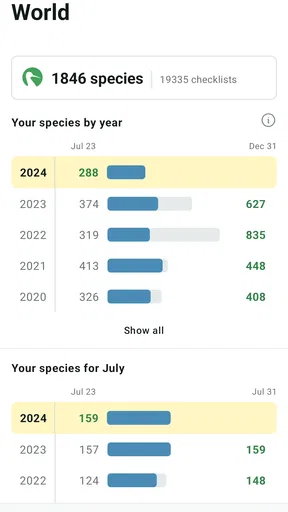
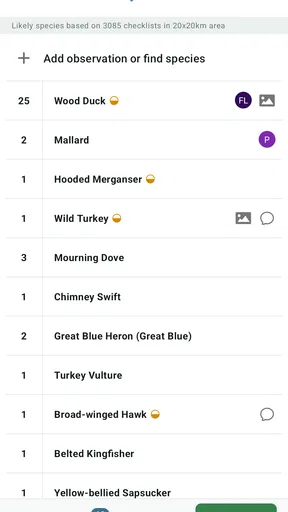
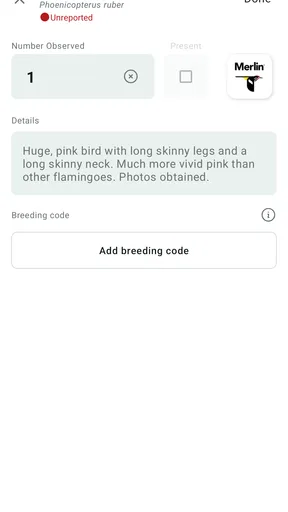
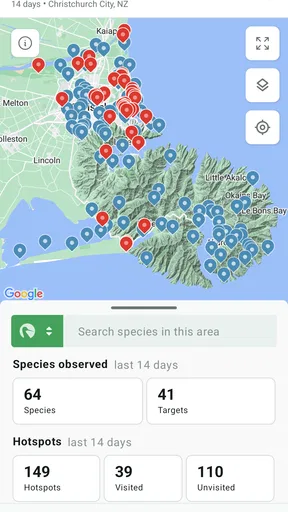
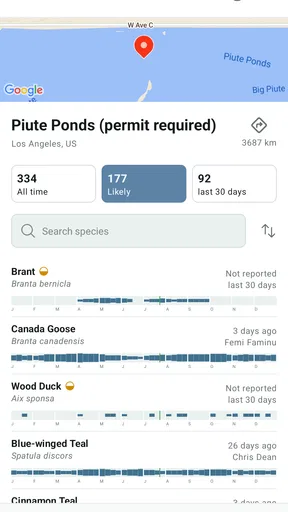
 Analysis by AppCompare
When I spot a bird on a walk, the fun is often in figuring out what I saw and remembering where I saw it. eBird by Cornell Lab of Ornithology is built around that habit: it helps me keep sighting records and connect them with a wider birding community. It is a free Books & Reference app, and I think it works best when I treat it as a field notebook with a research purpose—not as a magic answer to every identification question.
Finding Your Way Around and Getting Started
On first opening the app, I found its purpose fairly clear: record birds, keep track of observations, and explore what other people have seen. The main appeal is practical rather than decorative. I can imagine a new birder getting value from it quickly, while someone who has never kept a list may need a little time to understand why details such as location and careful observation matter.
The app has an average rating of 4.0 from around 3.9 thousand ratings, and it has been installed over a million times. Those figures suggest that it has found a broad audience, though they do not tell me whether it will suit every casual nature lover. Cornell Lab of Ornithology develops it, and that scientific focus comes through in the emphasis on observations that can be useful beyond a personal checklist.
A notebook first, an identification aid second
In my experience, the most useful way to approach eBird is to record what I can confidently observe, then use its identification help as a prompt for further thought. The bird identification tool lets me enter basic clues such as color, size, and location and see possible matches. That can narrow the field, but it is not a substitute for checking a bird’s behavior, shape, habitat, and the local possibilities.
That distinction matters when a bird is briefly visible or the light is poor. Rather than force a precise answer, I would use the tool to compare a few plausible choices and save only what I feel reasonably sure about. This cautious approach makes the record more useful and helps prevent one uncertain sighting from becoming a confident but inaccurate entry.
Readable enough for a quick field check?
The experience is approachable in broad terms, but birding often means looking between a screen and the outdoors. I find it sensible to set up what I need before a walk, so I am not trying to read menus while watching a moving bird. Someone who prefers larger text, strong visual contrast, or a very simple interface should check how the app feels on their own device before relying on it during a fast-paced outing.
It is also worth remembering that the app’s usefulness depends on the information I can enter. A person who is still learning bird names may need to move slowly, consult a field guide, or ask an experienced birder rather than expect every possible match to be obvious. That is not a reason to avoid the app; it is a reason to use its suggestions as guidance instead of a verdict.
Worth Reading Before You Choose

EA SPORTS FC Mobile 26 Is a Bigger Football Game, but It Takes Time

Flipboard Shows What News Apps Must Do Beyond the Feed

Switching to Android Auto Means Rethinking Your Driving Routine

Google Calendar Makes a Crowded Week Easier to Manage

Ludo King Makes the Most of the Minutes Between Plans

Baby Panda World Brings Quick Play to Modern Phones, but Its Game Library Feels Busy
Making an observation count
One of the more rewarding parts is that a sighting can become more than a private note. The observations people log contribute to a broader database that can help researchers study bird populations and migration. I like that this gives a routine walk a second purpose, provided I take care to record what I actually saw rather than what I hoped to see.
A useful habit is to pause after each observation and check the details while they are still fresh: where I was, what I noticed, and whether I am sure about the identification. This small bit of care can make a checklist more dependable later. It also helps me look more closely instead of treating birding as a race to collect names.
Using it on an ordinary walk
On a weekend walk through a neighborhood park, I might notice a bird near a path, make a quick note of its appearance, and use the app to consider likely matches. If I am unsure, I can leave the identification tentative in my own mind and avoid overstating what I saw. Later, reviewing the sighting can help me learn which field marks I missed and make the next encounter easier to assess.
For a longer birding outing, I would prepare before leaving: decide what I want to record and become familiar with the basic workflow while I have time to concentrate. That is especially helpful if I am walking with someone else. Constantly stopping to navigate a phone can interrupt conversation and observation, so I would enter notes at natural pauses rather than try to document every bird the instant it appears.
Offline use and the limits of a phone
The offline mode is useful when I am in a remote area with an unreliable connection. I can keep recording sightings and upload them later when I am back online. For a trip, I would still avoid assuming that every online feature will be available without a connection; the practical benefit is that I do not have to abandon my records just because service drops out.
There is a broader trade-off here: using a phone can make record-keeping easier, but the screen can also pull attention away from the birds. I would keep the device accessible, not constantly in hand, and use it when an observation is complete. People who want an uninterrupted, screen-free walk may prefer a paper notebook and enter their sightings later, while those who value a searchable digital record will likely appreciate the app.
Community, learning, and different needs
eBird also gives birdwatchers ways to explore other people’s observations, share sightings, and connect with local birding activities. For a beginner, other people’s records can offer a useful sense of what might be around, but I would treat them as context rather than proof that a particular bird will appear on my route. Wildlife is unpredictable, and a list from another observer cannot promise a repeat encounter.
For people with limited mobility, the app may still be useful from a garden, balcony, window, or accessible path; birdwatching does not require a strenuous hike. A quieter location can even make careful observation easier. At the same time, someone who has difficulty operating a touchscreen, reading small text, or switching attention quickly may find field use tiring. I would try it in a comfortable setting first and consider pairing it with a notebook or another person’s help if that makes the outing more enjoyable.
Who should choose it—and who might not
I would recommend it to people who enjoy noticing birds and want a lasting record, beginners who are willing to learn identification gradually, and experienced birders who want their observations to contribute to a wider picture. It is particularly appealing if I already like keeping lists or revisiting places to see how sightings change over time.
It is less suitable for someone who wants an instant, guaranteed identification from a fleeting glimpse, or for a person who does not want to create and maintain digital records. A traditional field guide can be a better companion when I want to browse illustrations without using a phone, while a simple camera or notebook may suit someone focused on photography or personal memories rather than structured observations. These alternatives do different jobs; eBird’s strength is combining personal recording with a larger community record.
Practical details and a balanced verdict
The app is free, rated for Everyone, and its current version is 3.3.5; it requires Android 8.0 or later. It was released on December 7, 2015, and the long-running nature of the project makes it feel like a purpose-built tool rather than a passing novelty. I would still check that my device meets the requirement before planning to use it on a trip.
My main advice is to begin with a small goal: record birds from one familiar place, take time over uncertain identifications, and see whether reviewing the list makes you more observant. You do not need to turn every walk into a formal survey. A few careful notes are more valuable than a long list filled with guesses, and the app is at its best when the record-keeping supports the experience rather than taking it over.
Overall, I see eBird as a thoughtful option for people who want their curiosity to lead somewhere useful. Its mix of personal tracking, identification support, community observations, and research contribution gives it more depth than a basic bird list. It does ask for patience, attention, and a willingness to work around the limits of phone-based field use, so it will not suit everyone. But if you enjoy learning what you see and keeping a record that can matter beyond your own notebook, I think it is well worth trying.
Getting Started with eBird
So, first things first, downloading the app was a breeze. A quick search in the app store, and bam, there it was. Once installed, eBird greeted me with its user-friendly interface. I was expecting a bit of a learning curve, but nope, the app was as welcoming as a warm cup of coffee on a chilly morning.
Setting Up Your Birdwatching Profile
Setting up my profile was as simple as pie. I just needed to create an account, which took all of two minutes. Then, I was ready to dive into the world of birds. The app offers a neat little tutorial that guides you through the basics, ensuring you don’t feel like a bird out of its nest.
Exploring the Features
The heart of eBird lies in its extensive database and interactive features. The moment I started exploring, I realized how comprehensive it was. You can log your sightings, explore birds spotted by others, and even contribute to scientific research! Talk about making your birdwatching count.
One of my personal favorites is the bird identification tool. Just input some basic details like color, size, and location, and it gives you a list of possible matches. It’s like having a birding expert right in your pocket!
Contributing to Conservation
What truly sets eBird apart is its emphasis on conservation. Every sighting you log contributes to a global database that helps researchers track bird populations and migrations. It’s pretty satisfying to know that my casual afternoon birdwatching could actually help save species.
Community and Connectivity
The app also fosters a wonderful sense of community. You can connect with other birdwatchers, share sightings, and even join local birding events. It’s a great way to meet like-minded folks and share the joy of discovering new species.
Offline Mode – A Handy Feature
Another thing I appreciated was the offline mode. Perfect for those days when I’m in a remote area with spotty internet. I could still log sightings and upload them later when I was back online. No more missed opportunities!
Final Thoughts
In the end, eBird by Cornell Lab transformed my casual curiosity into a full-blown hobby. Whether you're a seasoned birder or just starting out, this app is a gem. It’s not just about identifying birds; it’s about connecting with nature and contributing to something bigger. So, if you’re ready to spread your wings and explore the avian world, give eBird a try. Trust me, it’s a flight worth taking!
Pros
- Extensive bird database with global coverage.
- User-friendly interface for easy navigation.
- Offline mode for remote birding locations.
- Real-time bird sighting updates and alerts.
- Contribute to citizen science projects easily.
Cons
- Requires internet for full functionality.
- Battery drain during extended field use.
- Some features locked behind login.
- Limited support for non-English languages.
- Occasional inaccuracies in bird identification.
FAQs for eBird by Cornell Lab
What is eBird and what does it offer to bird enthusiasts?
eBird is a comprehensive app developed by the Cornell Lab of Ornithology, designed for bird watchers to document and share bird sightings. It offers real-time data on bird distribution, access to a vast database of bird species, and community features to connect with other bird enthusiasts. It's a valuable tool for tracking and learning about avian biodiversity.
Is eBird available for both Android and iOS devices?
Yes, eBird is available for both Android and iOS platforms. Users can download it from the Google Play Store or the Apple App Store. The app is designed to work seamlessly on smartphones, providing users with a convenient way to log bird sightings and access birding data on the go.
Can I use eBird offline, and if so, how does it work?
eBird offers offline functionality, allowing users to record bird sightings even without an internet connection. You can download checklists for specific locations in advance, and once back online, the app will sync your data with the central database. This feature is particularly useful for birding in remote areas.
How does eBird contribute to bird conservation efforts?
eBird plays a significant role in bird conservation by collecting data from bird watchers worldwide. This data helps scientists track bird populations, migration patterns, and habitat use. By contributing to eBird, users aid in conservation research and policy-making, ultimately helping to protect bird species and their environments.
What are the pros and cons of using eBird?
Pros of eBird include its extensive database, real-time data access, and community engagement features. It’s an excellent tool for learning and contributing to bird conservation. However, some users may find the initial setup and interface complex. Additionally, the offline functionality requires pre-downloading checklists, which might be inconvenient for spontaneous trips.


